
See what your experts' knowledge can become
Get a free demo. A 15-minute chat, fully tailored
to your needs. No commitment.

Updated on
Many employees don't spend their day at a desk. Retail associates, nurses, technicians, drivers, and sales reps all need training, often at the moment a question comes up. Yet much corporate learning is still designed for someone sitting at a laptop.
Mobile learning closes that gap. Delivering training to the phones and tablets employees already carry lets them learn on a break, between appointments, or on the shop floor, right when they need it. And with the right approach, mobile learning isn't a scaled-down version of desktop training. It can be more engaging, more collaborative, and more useful on the job.
In this guide, we'll explain what mobile learning is, the different types, its benefits and challenges, examples from real organizations, and best practices for making it work.
3 key takeaways
Mobile learning, also called m-learning or mLearning, is any learning delivered through mobile devices such as smartphones and tablets. It lets learners access training content, take part in discussions, and complete assessments wherever they are, rather than only at a computer or in a classroom.
Mobile learning covers a wide range of formats, from short videos and quizzes to full courses, podcasts, job aids, and interactive simulations. What makes it distinct isn't only the device. Good mobile learning is designed around how people actually use their phones: in short bursts, on the move, and often to solve an immediate problem.
Learning experience strategist Clark Quinn, author of Designing mLearning, describes five capabilities that make mobile devices powerful learning tools:
We'd add one more: collaboration. Learning alone on a phone can feel isolating, especially for remote and frontline employees who rarely see their colleagues. Collaborative mobile learning brings people together.
Learners can ask questions in course forums, react to and comment on content, learn from peers' experiences, and even create training themselves.
This turns mobile learning from a one-way broadcast into a shared experience, and it makes the content more relevant because it comes from people who do the same job.
Mobile learning offers advantages for both employees and organizations. Here are the most important ones.
Mobile learning removes the need to be at a specific place or time to train. Employees can learn during a commute, between appointments, or during a quiet moment on shift, and pick up where they left off on any device.
This flexibility makes it far easier to fit learning into busy schedules.
Many employees in retail, healthcare, manufacturing, hospitality, and logistics don't have a company computer, or any time at a desk. For them, mobile learning is often the only practical way to access training.
It gives organizations a consistent way to train every employee, wherever they work.
When an employee runs into a problem on the job, mobile learning puts the answer in their pocket. A quick video, checklist, or AI assistant can help them solve the issue immediately, instead of waiting for a manager or a scheduled training session.
Learning applied straight away is also more likely to be remembered.
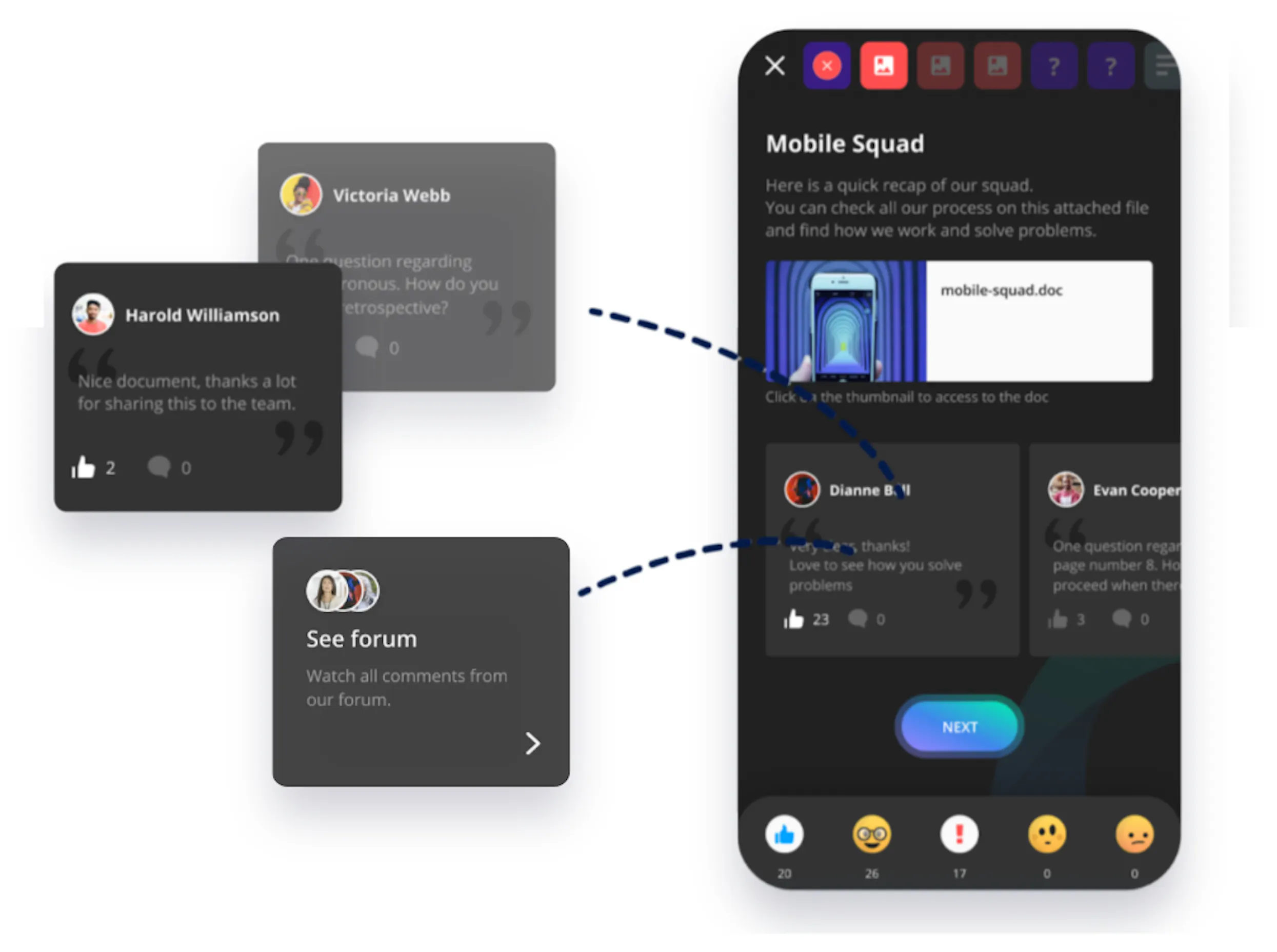
Short, mobile-friendly modules are easier to start and finish than long desktop courses. Push notifications remind learners about upcoming training, and features like quizzes, gamification, and discussions keep them coming back.
Together, these make it easier for learners to complete training and stay engaged.
When a product, process, or policy changes, mobile learning lets you update content once and get it to every employee within minutes. That's especially valuable for fast-moving teams like sales and retail, where outdated information can cost revenue or create compliance risks.
Mobile devices come with built-in accessibility features such as screen readers, text resizing, and captions. Combined with formats like video, audio, and transcripts, mobile learning can support employees with different needs and preferences, including those learning in a second language.

Mobile learning isn't without its challenges. The good news is that most of them can be addressed with the right design and tools.
Phones are full of notifications, messages, and apps competing for attention.
How to solve it: Keep modules short enough to complete in one sitting, and make content interactive so learners stay focused. Use push notifications for learning sparingly, so they stand out instead of adding to the noise.
Content designed for desktops can be hard to read and navigate on a phone.
How to solve it: Design mobile-first. Use vertical layouts, large text and buttons, short paragraphs, and vertical video. Avoid complex diagrams and large tables that require zooming.
Frontline and field employees often work in places with weak or no internet access.
How to solve it: Choose a platform that lets learners download courses and complete them offline, with progress syncing automatically when they reconnect.
Employees use a wide range of devices, operating systems, and screen sizes.
How to solve it: Use a mobile learning platform with a native app for both iOS and Android, and test courses on several real devices before launch.
Some subjects need more time, context, and discussion than a few minutes on a phone can provide.
How to solve it: Use mobile learning for what it does best, such as reinforcement, quick reference, and practice, and combine it with longer courses or live sessions for complex topics.
Some employees may be reluctant to use their personal phones for work training, and some organizations have strict security requirements.
How to solve it: Set clear policies on device use and, where relevant, paid time for training. Choose a platform with strong security features, such as single sign-on (SSO), and check that it meets your organization's data protection requirements.
Mobile learning and eLearning are closely related, but they aren't the same thing. eLearning is the broad category: any learning delivered digitally. Mobile learning is a type of eLearning designed specifically for phones and tablets.
Today, most eLearning platforms work on multiple devices, so the real difference isn't only the hardware. It's the design. Content built for a desktop assumes the learner has a large screen, a keyboard, and uninterrupted time.
Mobile learning assumes the opposite: a small screen, touch controls, and short bursts of attention, often in the middle of the workday.
In practice, the most effective programs combine both. Employees might complete an in-depth course on a laptop, then use mobile learning for refreshers, quick answers, and practice in the weeks that follow.
Mobile learning works across almost every type of corporate training. Here are some of the most common use cases.
"Before we introduced 360Learning, we operated in a very traditional way: we trained almost exclusively in person, which was very time-consuming. It was clear that we needed digital and mobile training."
- Natalie Miese, Learning Manager, Babor
The difference between mobile learning employees use and mobile learning they ignore usually comes down to design. Here's how to get it right.
Don't build a desktop course and hope it works on a phone. Start with the small screen: vertical video, short audio clips, quick quizzes, flashcards, and swipeable content all work naturally on a phone.
Avoid large tables, dense diagrams, and long blocks of text that require zooming or scrolling sideways.
If content works well on mobile, it will usually work on desktop too. The reverse is rarely true.
Mobile learners often have a few minutes, not an hour. Break content into short modules that each cover one idea or task, so learners can finish in one sitting. For longer programs, use clear chapters and let learners pick up exactly where they left off.
Many frontline and field employees work in places with poor connectivity. Let learners download courses in advance and sync progress automatically when they're back online, so training is never blocked by a weak signal.
Mobile learning can feel isolating. Forums, comments, reactions, and peer-created content let learners ask questions, share experiences, and learn from colleagues, which keeps them engaged and makes content more relevant.
Mobile devices can capture as well as deliver. Ask learners to record a video of a task, a practice pitch, or a photo of completed work for feedback. This turns passive learning into practice and gives managers a way to verify skills remotely.
Every extra step reduces usage. Offer simple login options such as single sign-on, and make sure employees without a corporate email address can still access training. Where employees share devices, choose a platform that supports shared device use.
AI is making mobile learning faster to create, more personal, and more useful on the job.
As with any AI-generated content, keep a human in the loop. Ask subject-matter experts to review AI-created modules for accuracy before publishing, especially for safety, compliance, or technical topics.
61% of employees lean on their personal mobile devices to learn. Mobile learning capitalizes on our attachment to our phones and gives learners the opportunity to learn anywhere, anytime. Half of “deskless employees,” for example, prefer completing training at home, on a break, or during a commute.
Mobile learning enables learners who work remotely and who are in the field to access updated courses and new training on the fly. This can be for example useful for sales reps or retail workers who need the latest information to close sales calls, as they can view updates on their phones on the go.
A mobile app like 360Learning’s enables you to:

360Learning's native mobile app is designed for employees who learn on the go, from office teams to frontline staff. It includes offline mode, in-app reminders, video assessments, coaching, shared device mode, and a custom-branded app. Activity-level forums at the heart of the app let learners ask questions and get answers in real time.
With AI Companion and AI-powered search, learners can quickly find guidance on products, processes, and customer questions when they need it.
Frontline managers can view progress in real time and drill down into completion data by cohort, learner, or course directly from the app.
360Learning is the #1 rated LMS/LXP mobile app, with a 4.9/5 rating on both the Apple App Store and Android Play Store.
“With 360Learning, we now continuously train our employees and we see excellent completion rates. About 70% to 80% of our learners are on the mobile app.”
- Franck Colmard, Training Manager, Zadig&Voltaire
Get a free demo. A 15-minute chat, fully tailored
to your needs. No commitment.
By providing your contact info, you agree to receive communications from 360Learning. You can opt-out at any time. For details, refer to our Privacy Policy.
 Our weekly newsletter of the best insights from L&D peer to L&D peer.
By providing your contact info, you agree to receive communications from 360Learning. You can opt-out at any time. For details, refer to our Privacy Policy.